Rent it again?
The movie is right there—but it is another $3.99 rental or $14.99 purchase on top of the services you already pay for.
ShowShark · Your media. Your rules.
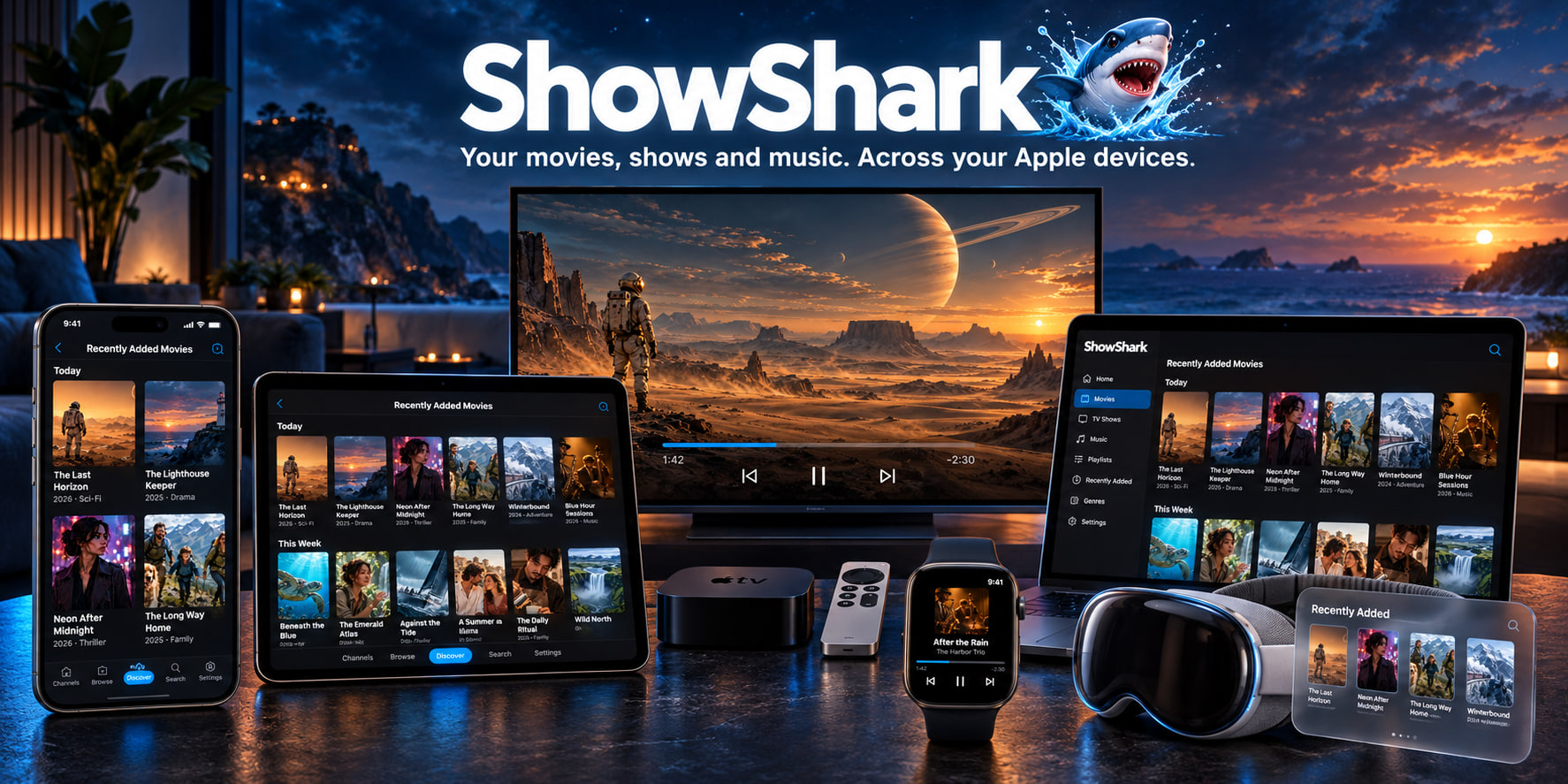
Turn your Mac into a personal media server and stream your movies and shows to every Apple screen.
Stop renting the same favorites, searching for titles that disappeared, and sitting through streaming-service ads. Install ShowShark Server on your Mac, connect your folders, external drives, or NAS, then watch on iPhone, iPad, Apple TV, Mac, or Vision Pro—at home, away, or offline.
More than movies and TV
Sound familiar?
You search one service, then another. The title you remember is gone. The one you find costs extra. When you finally press play, the ads begin. Meanwhile, the collection you chose and paid for is sitting on a shelf, drive, or NAS.
The movie is right there—but it is another $3.99 rental or $14.99 purchase on top of the services you already pay for.
The show you planned to watch vanished when a license expired. Your evening now starts with searching instead of watching.
You finally choose something, press play, and wait through advertising—even though a version you own is already in your collection.
A better way
That is exactly why I built ShowShark: to make your own library feel as effortless as the services that keep disappointing you.
ShowShark turns media stored on your Mac, external drives, or NAS—including digitized Blu-ray collections—into a clean, fast, private streaming experience across your Apple devices. No disappearing titles. No regional catalog. No recurring subscription.
How it works
The setup starts simple. The advanced library, remote access, and transcoding tools are there when you need them.
Run ShowShark Server on a Mac mini, desktop, or laptop with macOS 14 or later.
Download Mac ServerAdd local folders, external drives, SMB/NAS shares, or imported media. ShowShark indexes them in place.
Download ShowShark from the App Store on the Apple devices where you want to browse and watch.
Open App StoreStream at home, pair remote devices, or download videos for offline playback when the network is unreliable.
Start here
ShowShark has two pieces: a player app for your Apple devices and a server app for the Mac that holds, indexes, transcodes, and streams your media.
Product tour
Tour the ShowShark Player on your Apple devices and the Mac Server that organizes and streams your library. Choose a chapter below, or open the complete 53-screen tour.
Player app · Browse
Browse movies and TV shows, discover recent additions, search the library, or navigate by the folders and drives you already know.
Explore 6 browse and search screensWhy ShowShark
ShowShark is for people who already own the media, already use Apple devices, and want a private library that works at home, away from home, and when the internet is unreliable.
Try the server first, then unlock full-length streaming with a one-time purchase.
Pair devices once, then stream away from home without router port forwarding or a separate VPN.
Browse downloaded shows, movies, YouTube videos, complete TV seasons, music albums, and tracks without a Server connection.
SwiftUI clients are designed for iPhone, iPad, Mac, Apple TV, Apple Watch, and Apple Vision Pro.
Find titles by name, genre, actor, artist, album, year, mood, similarity, or recent playback.
The Mac server handles transcoding and adjusts playback quality across Wi-Fi, cellular, and remote links.
Find podcasts by name or add RSS feeds, then save live radio stations and see available current-track information during playback.
Watch active live broadcasts with live controls, then download completed YouTube videos into the offline library.
Use a configured SubDL provider to find more subtitle languages and play them with Default or Original playback.
Who it is for
ShowShark starts as a simple Apple-native home media server. Advanced source types and archive tools stay available when you need them.
Movies, shows, music, podcasts, Internet Radio, photos, and family videos on a Mac server, with native apps on the Apple screens around the house.
Download before a trip or stream locally from your Mac when campground, marina, aircraft, hotel, or cellular internet is unreliable.
Search project libraries, interviews, B-roll, ProRes, DNxHD/DNxHR, MXF, and camera metadata from a lightweight Apple client.
What it streams
ShowShark brings movie and TV libraries, music, photo albums, YouTube channels and live broadcasts, podcast subscriptions, Internet Radio, ONVIF-discovered or manually configured RTSP cameras, and IPTV into one Apple-native experience.
Add local folders, external drives, SMB/NAS shares, or imported media without moving everything into a cloud service.
Stream MKV, MP4, MOV, Blu-ray BDMV folders, subtitles, chapters, and extras with rich metadata and search.
Browse music with lyrics and complete artwork galleries, download albums or tracks, and enjoy photo albums, channels, and slideshows.
Find podcasts or add RSS feeds, search for live radio stations, and play both beside the rest of your Channels.
Subscribe to channels, watch active live broadcasts, and download completed videos for offline playback.
View ONVIF-discovered or manually configured RTSP cameras, then watch IPTV with XMLTV guides and virtual channels alongside the rest of your library.
Common questions
The essentials about pricing, setup, compatible devices, remote access, and offline playback.
The ShowShark Player app is free. ShowShark Server is a one-time $99 purchase with no subscription, and promotional coupon codes may reduce that price when available.
ShowShark Server requires a Mac running macOS 14 or later. Install the free ShowShark Player on the Apple devices where you want to browse and watch.
Yes. The Server can index media in local folders, external drives, and SMB/NAS shares without moving your library into a cloud service.
No. Secure remote access is built in, so you do not need to configure router port forwarding or expose the Server directly to the Internet.
The ShowShark Player supports iPhone, iPad, Mac, Apple TV, Apple Watch, and Apple Vision Pro.
Yes. You can download movies, shows, completed YouTube videos, TV seasons, music albums, and tracks for offline playback.
ShowShark supports movies, TV shows, music, photos, YouTube channels and live video, podcasts, Internet Radio, ONVIF and RTSP cameras, and IPTV alongside local media libraries.
"Setting up the server was easy. My kids can watch their shows while we are away from home, and the offline download feature is great for long drives. I love not having another subscription."
"Once I got the server set up, even my kids could easily find and watch their cartoons on the Apple TV. They never have to ask for help. This stands in contrast to Plex. ShowShark is worth checking out."
"Very easy to set up. The offline download feature is great for road trips. I’m glad I gave it a try."
Plex, Jellyfin, and Emby are capable media servers, but they ask you to accept tradeoffs around subscriptions, setup work, cloud accounts, or app consistency. ShowShark is focused on one job: make your own media feel simple, private, and native across Apple devices.
| Feature | ShowShark | Plex | Jellyfin | Emby |
|---|---|---|---|---|
| Ownership and pricing | Best fitNo subscriptions. Buy it once and keep using the server and player without recurring feature tiers. | Key personal-media features are tied to Plex Pass or other paid access rules. | Free and open source, but you provide the setup, maintenance, and support. | Emby Premiere gates several advanced features and some playback experiences. |
| Remote access | Built inSecure remote access is built into the product, with no router port forwarding or firewall tuning. | Remote streaming leans on Plex accounts and cloud discovery, with relay limitations when direct access fails. | Remote access usually means configuring a VPN, reverse proxy, tunnel, or ports yourself. | Remote access often depends on Emby Connect, router configuration, or a similar network setup. |
| Apple-device experience | NativeSwiftUI apps for iPhone, iPad, Mac, Apple TV, Apple Vision Pro, and Apple Watch. | Broad device support, but the experience is not built around Apple households first. | App quality and behavior vary by platform and community-maintained player. | Good platform coverage, but less focused on a fully native Apple-first experience. |
| Offline playback | Travel readyBrowse downloaded shows, movies, YouTube videos, music albums, and tracks without reconnecting to the Server. | Offline downloads depend on paid access and can be constrained by remote streaming rules. | Offline support depends heavily on the player app and workflow you choose. | Offline downloads are part of the Premiere feature set. |
| Playback quality | AdaptiveApple VideoToolbox hardware transcoding and adaptive bitrate streaming adjust to the network automatically. | Strong playback ecosystem, but hardware transcoding is a Plex Pass feature. | Powerful when configured well, but hardware acceleration and quality tuning are more manual. | Hardware acceleration and tone mapping are tied to Premiere. |
| YouTube, podcasts, radio, IPTV, and channels | IntegratedYouTube channels and live video, podcasts, Internet Radio, Live IPTV, XMLTV guides, and virtual channels sit beside your own library. | Live TV and DVR exist, but personal IPTV and virtual channels are not the core workflow. | Live TV is possible, while virtual channels usually require extra tools. | Live TV and DVR are available, with important pieces tied to Premiere. |
| Professional media libraries | Media-awareProRes, DNxHD/DNxHR, MXF, camera RAW metadata, and file-level search fit production archives and home libraries. | Primarily tuned for consumer movie, TV, music, and photo libraries. | Flexible server foundations, but professional acquisition formats are not a central experience. | Primarily focused on consumer media library and playback workflows. |
| Privacy and control | Local firstYour library runs on hardware you own, without cloud accounts, analytics, or external auth for core playback. | Cloud accounts, discovery services, and online identity are central to the product. | Strong local privacy with no required cloud account, at the cost of more self-managed setup. | Mostly self-hosted, with licensing and discovery services adding external touchpoints. |
Find podcasts, save live radio stations with current-track information, and browse downloaded shows, movies, YouTube videos, albums, and tracks offline. YouTube live playback and external subtitle search add even more ways to watch.
Original playback gains faster indexed remuxing, remote streaming, AirPlay video, subtitles, and Skip Intro. YouTube resume and scrubbing can retain HD quality, while music albums gain complete artwork galleries.
Supported files can preserve source video through Original playback, profiles can restrict content by folder, rating, and media type, and ShowShark Web gains HLS playback with smoother long-session behavior.
Partial offline downloads can stay playable and resume later, Browse gets a denser layout for large libraries, and server library work is clearer and better coordinated.
Remote playback is steadier on relayed connections, Browse gains a streamlined Simple Mode, tvOS navigation is more predictable, and ShowShark Server ships as a universal Mac app.
Your library is waiting
Install the Mac server, point ShowShark at your media library, and get the player on your Apple devices. You can test the complete setup before upgrading the server for full-length streaming sessions.